Bitunix is a centralized cryptocurrency exchange where users can trade cryptocurrencies in spot and futures markets via desktop and mobile apps. The platform also offers features such as copy trading, earning crypto rewards, and account management through a beginner-friendly interface.
In this guide, you'll find out:
Bitunix Pro is a crypto trading platform designed for mobile users who want access to spot and futures trading, portfolio tracking, and market tools in one app. Users can buy crypto, deposit funds, and manage trades directly through the mobile application.
Like most centralized exchanges, Bitunix Pro handles order execution and account management for users, making it more beginner-friendly compared to self-custody wallets.
Here’s a quick step-by-step guide to getting started.
Download the Bitunix Pro app from the App Store or Google Play Store.
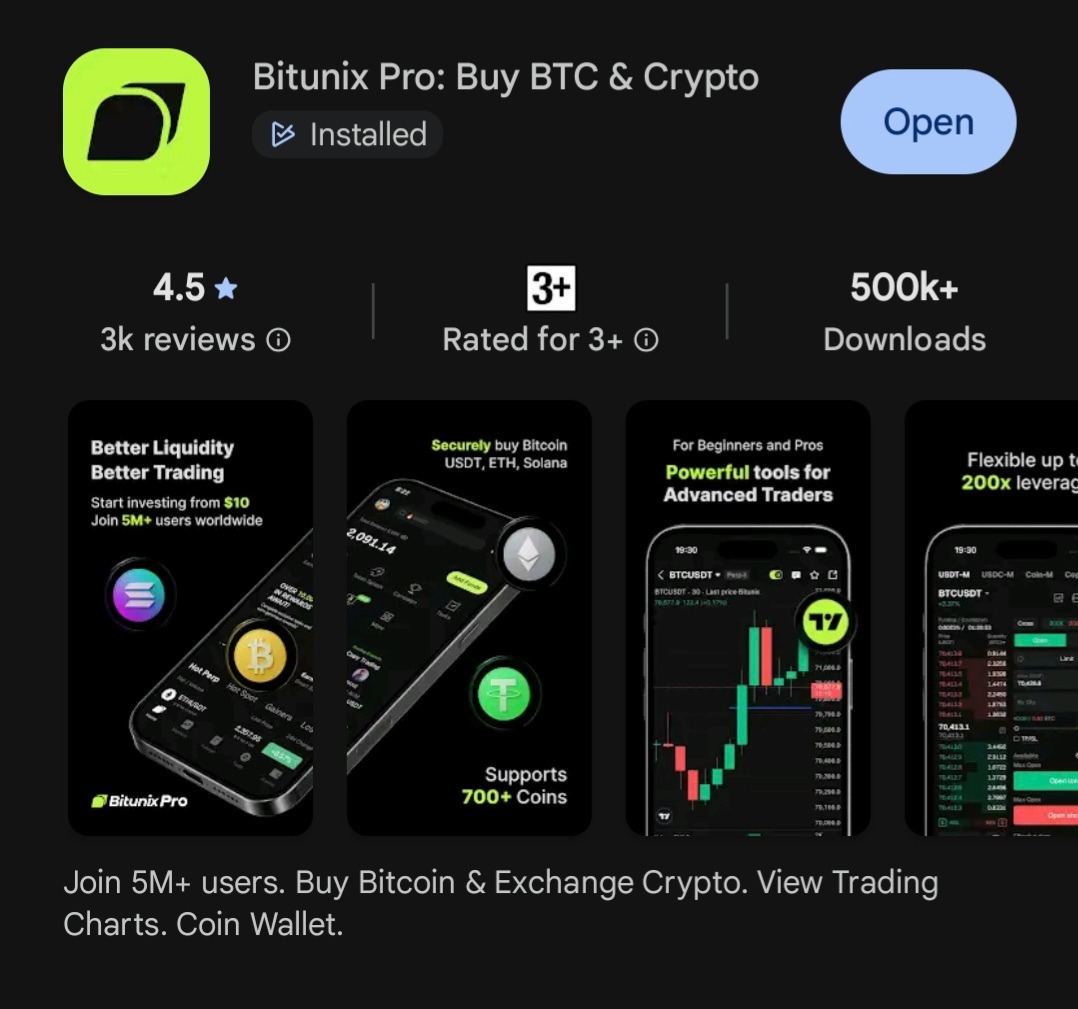
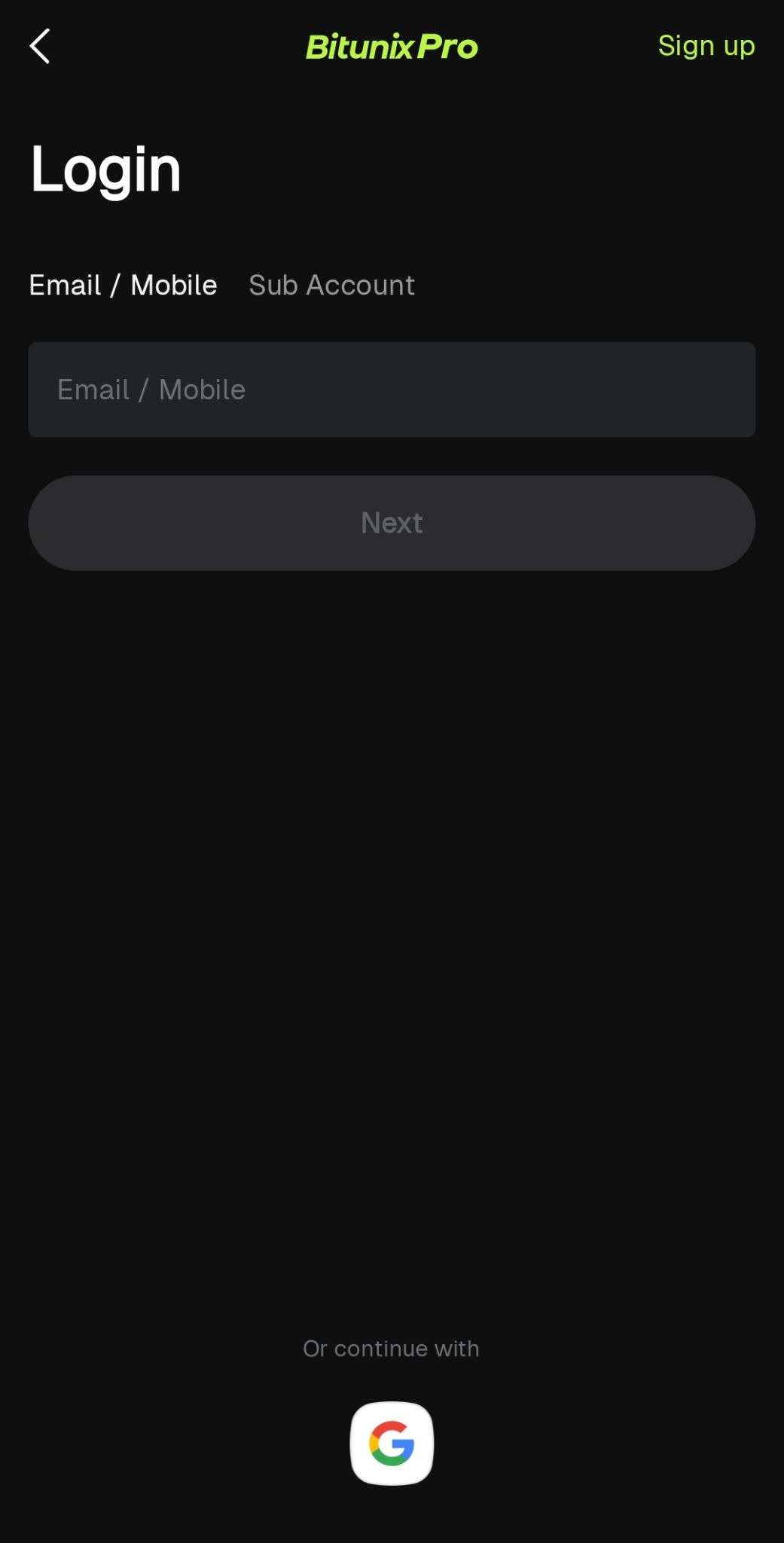
Open the app and tap “Sign Up.”
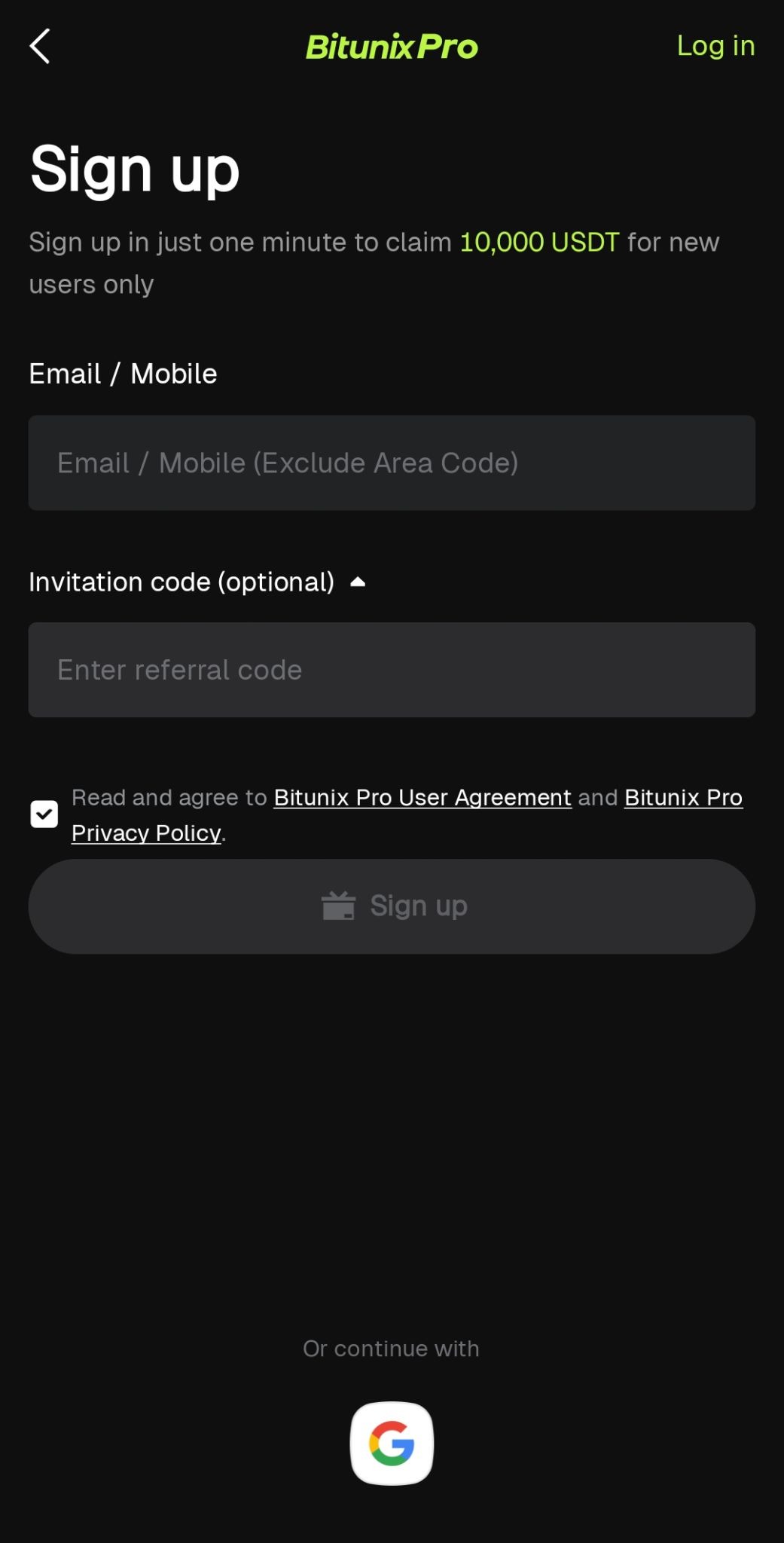
Register using your email address or mobile number. Enter your referral code, if any.
Create a secure password for your account.
Important note: Always use a strong password and enable two-factor authentication (2FA) to protect your account.
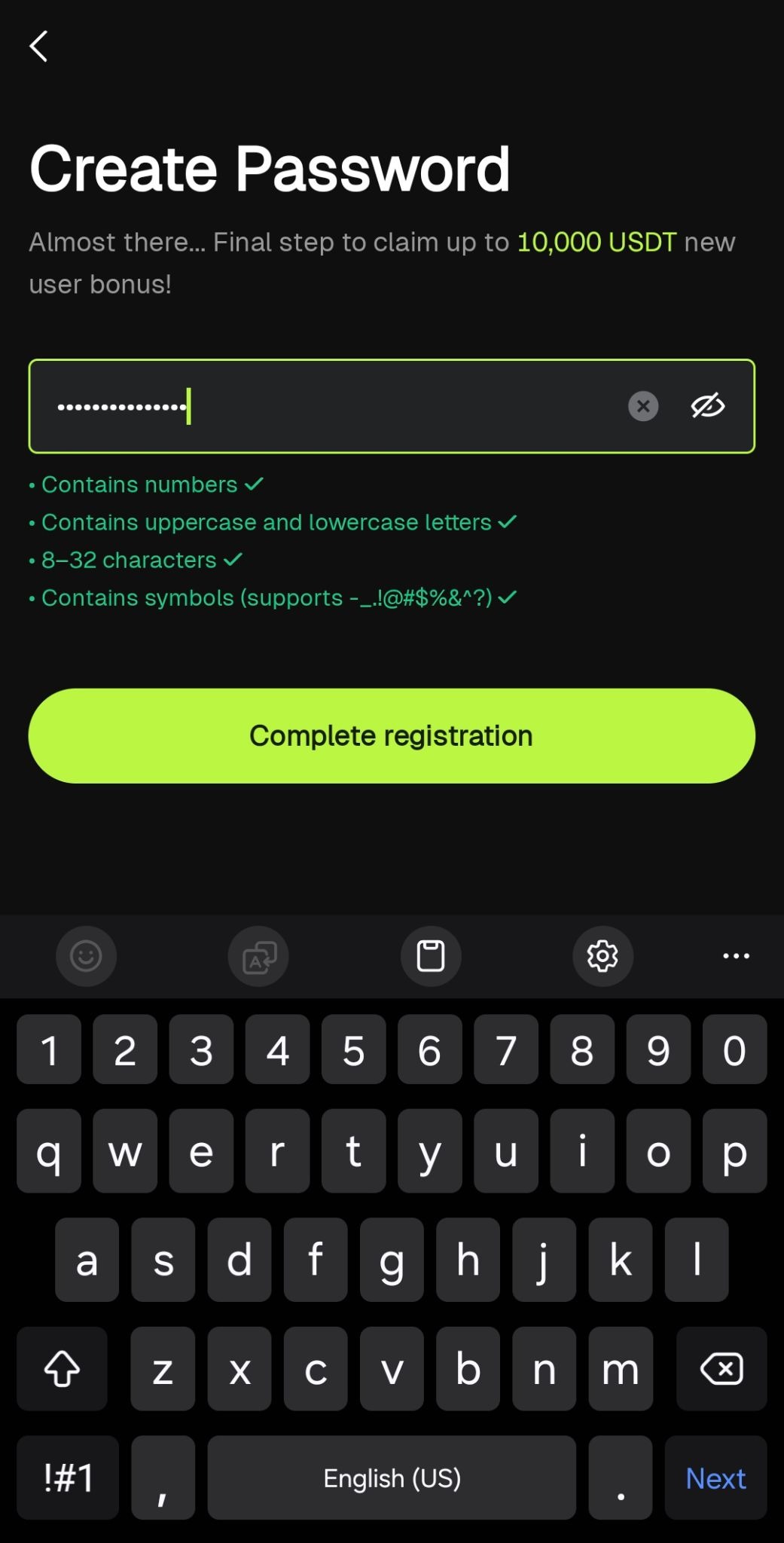
Enter the verification code sent to your email or mobile number.
Complete identity verification (KYC) if required.
You may be asked to submit:
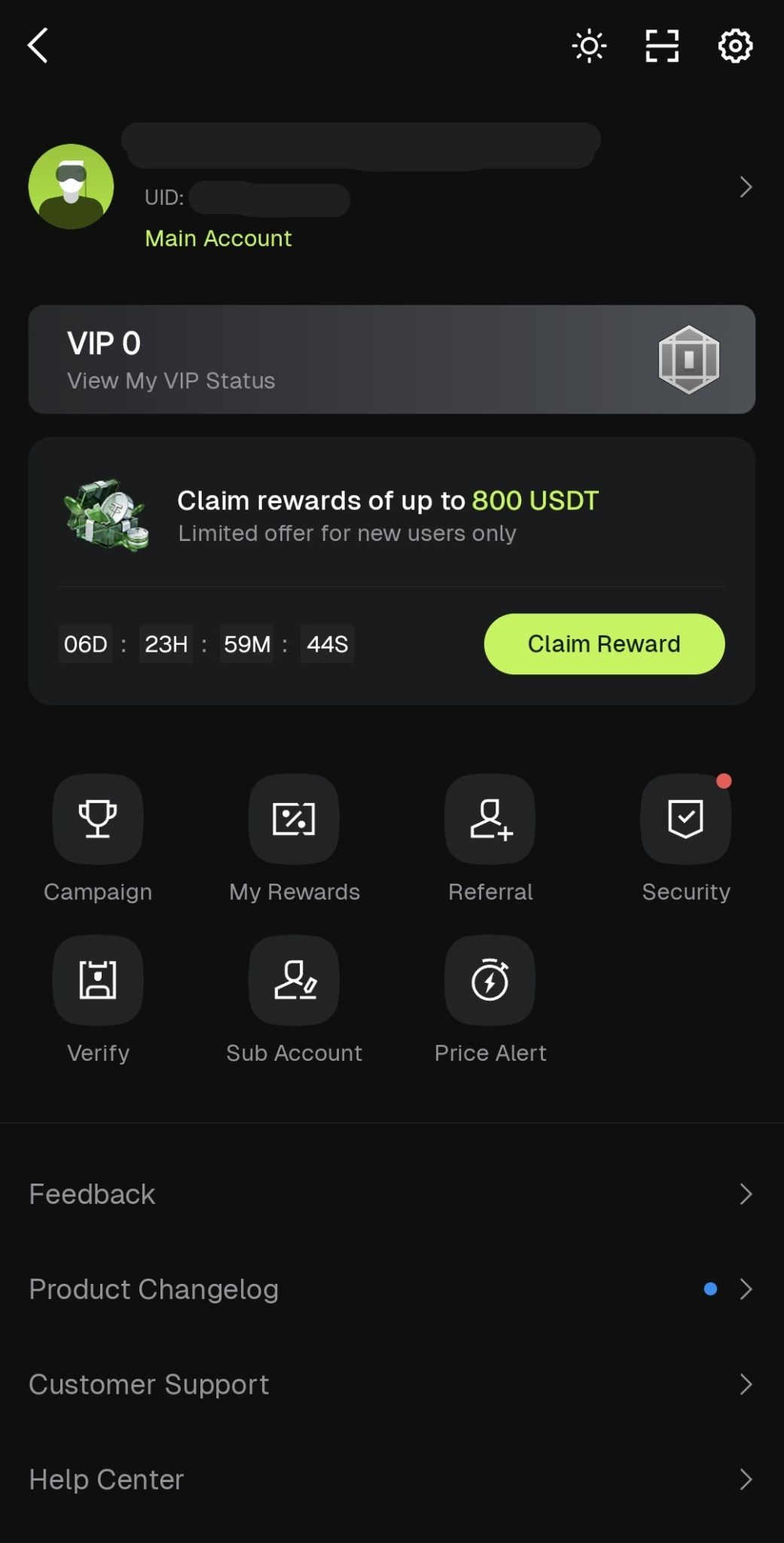
Once verification is complete, you can now access your Bitunix Pro dashboard.
Congratulations! Your Bitunix Pro account is now ready to use.
On the homepage, tap “P2P Trading.”
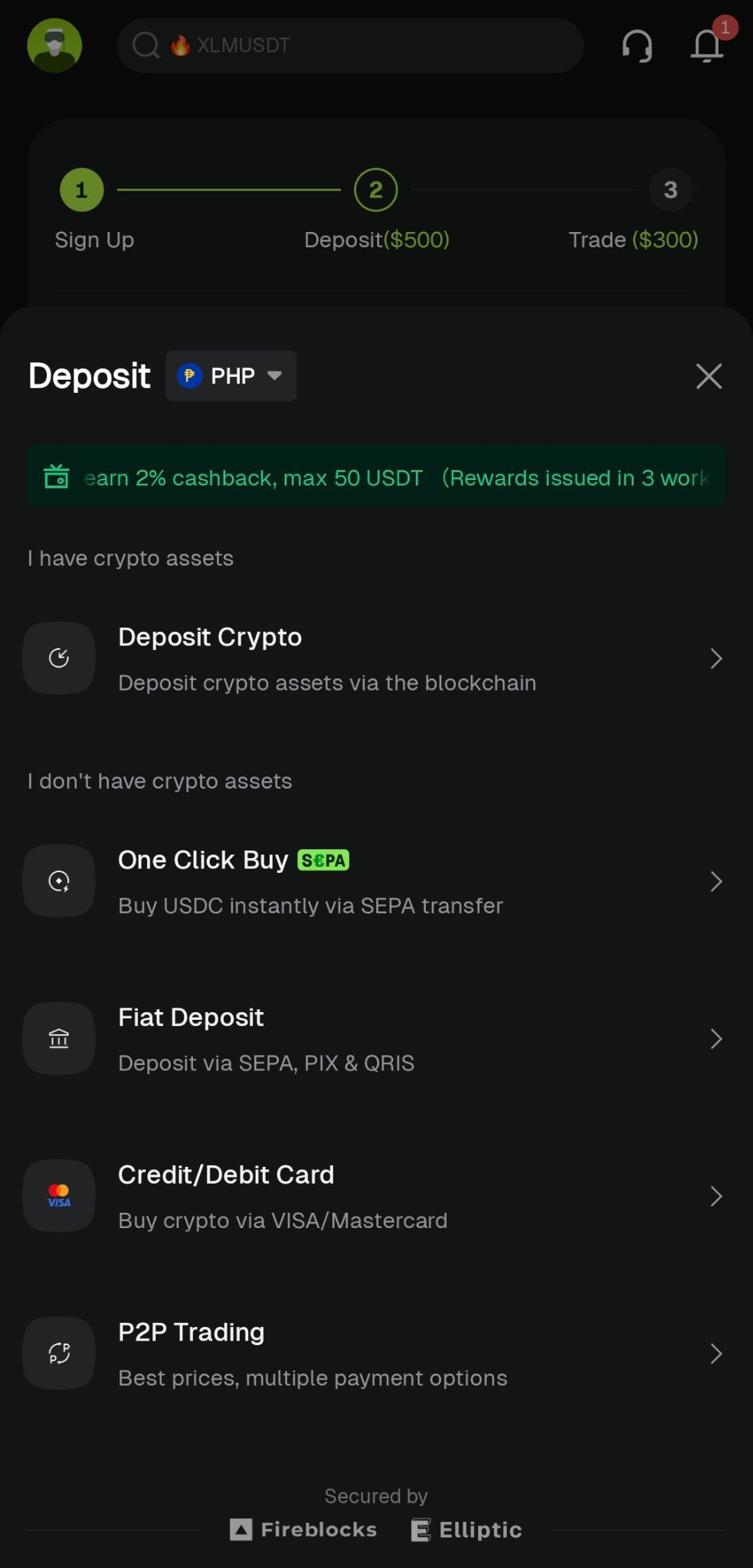
Select the cryptocurrency you want to buy.
For this example, we will use PHP.
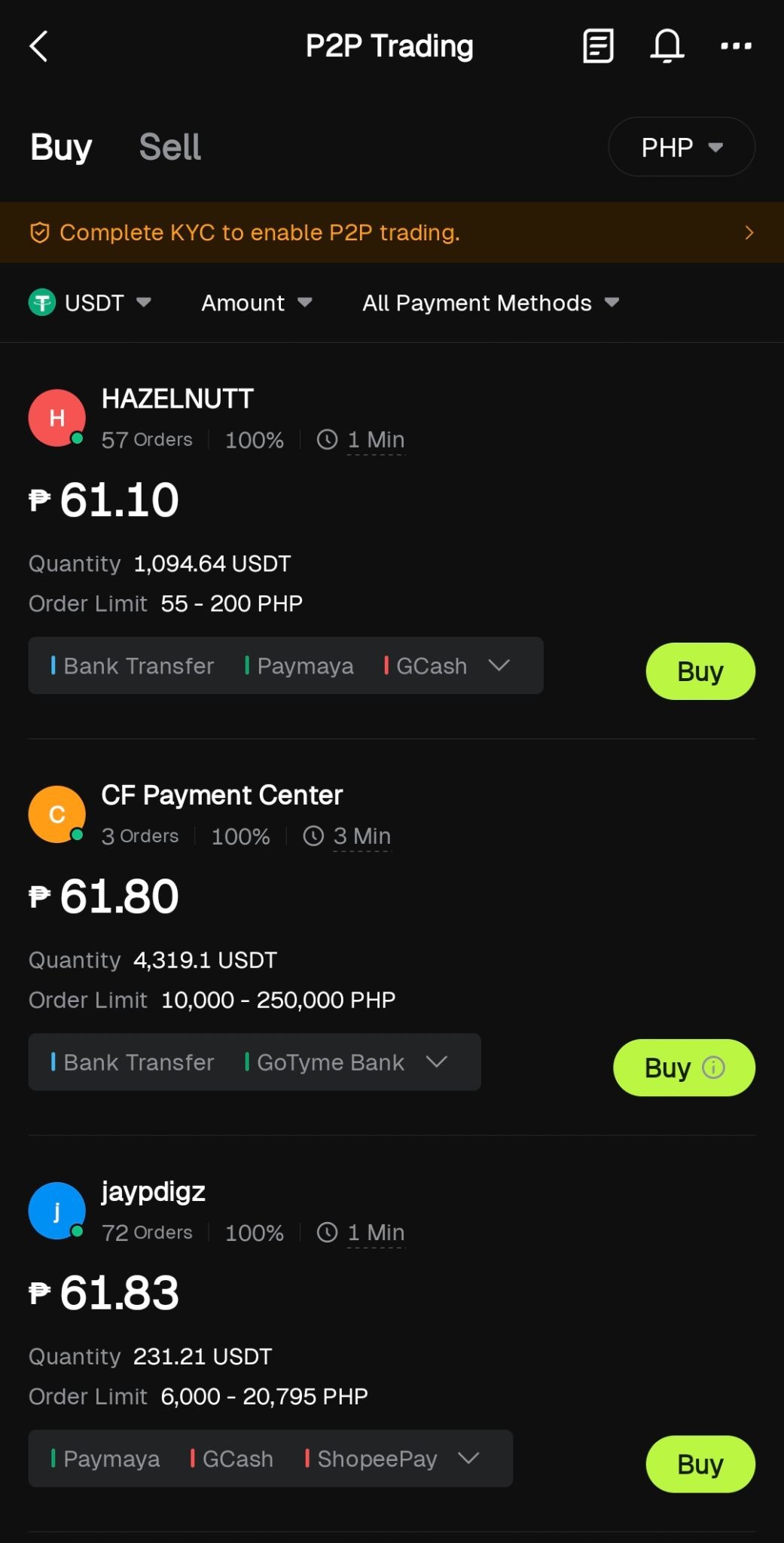
Choose your preferred fiat currency and payment method. This may include:
Browse available sellers and choose one based on:
Enter the amount you want to purchase and tap “Buy.”
Send the payment directly to the seller using the payment details provided.
Important note: Always double-check the seller’s payment details before sending funds. Never mark the order as paid unless the payment has already been completed.
Tap “Transferred” or “Mark as Paid” after sending the payment.
Wait for the seller to confirm receipt of payment and release the crypto.
Once released, the USDT will appear in your Bitunix Pro wallet balance.
Tap “Markets” or “Trade.”
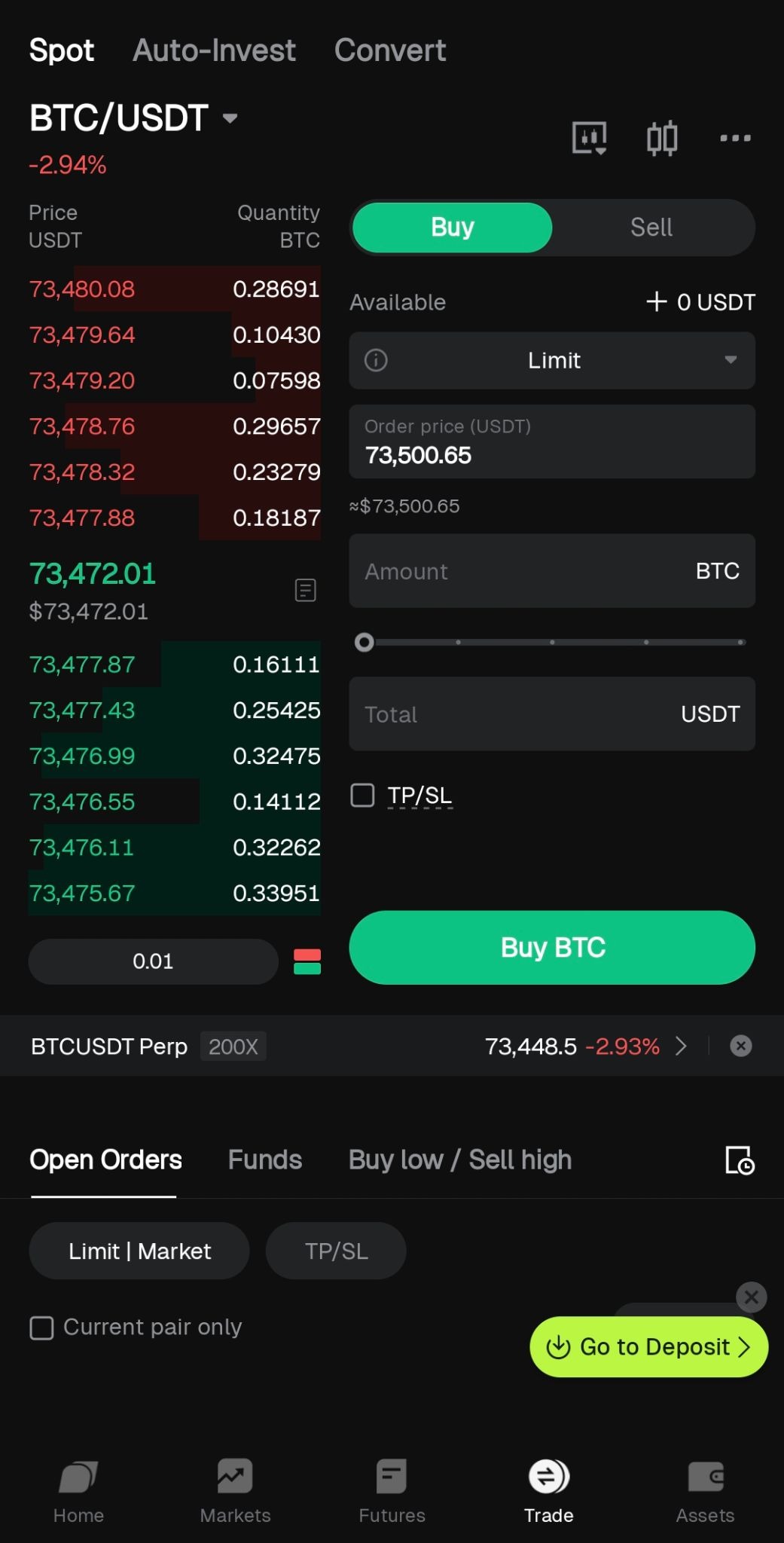
Search for a trading pair.
For this example, we will use BTC/USDT.
Choose between a Market Order or Limit Order.
Enter the amount you want to trade.
Review the order details carefully.
Tap “Buy” or “Sell” to confirm your trade.
Monitor your open positions and order history under the “Orders” tab.
Congratulations! You now know how to set up a Bitunix Pro account, deposit funds, buy crypto, and start trading through the mobile app.
For beginners, always remember:
Learn more about crypto and modern finance through Bitskwela.


